

2.8-inch 180 PPI 6-color eink fridge magnet
$28.99 – $218.99Price range: $28.99 through $218.99
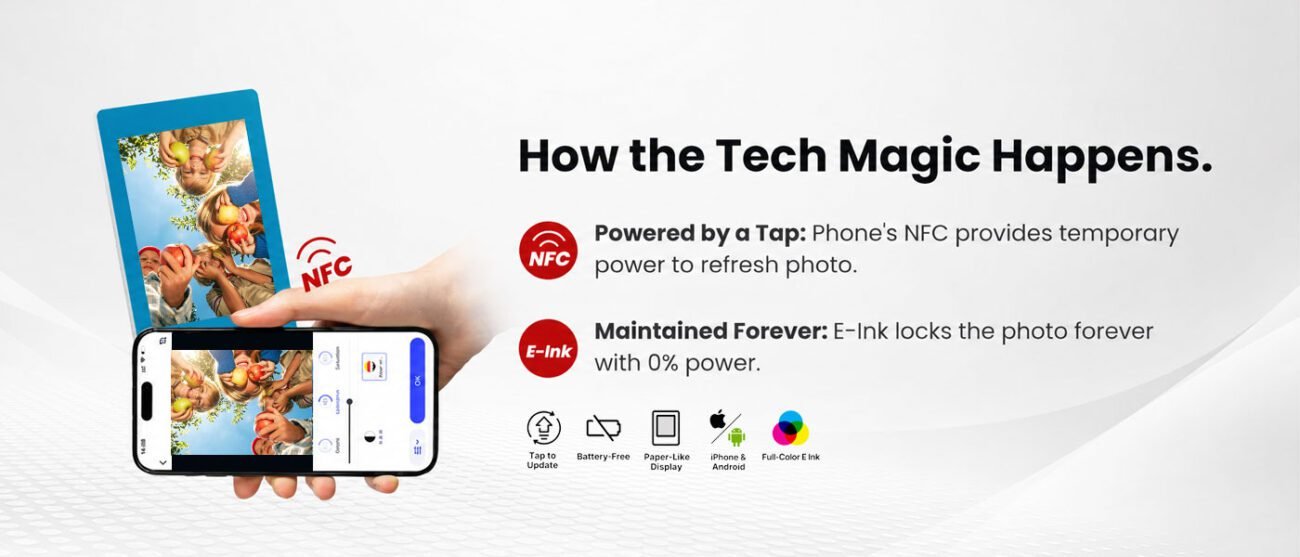
Why does NFC photo transfer sometimes fail?
1.The phone case is not removed, which results in unstable NFC transmission. Please remove the phone case before starting the transfer.
2.The NFC sensing area of your phone is not aligned with the NFC area of VidaBay Snap. Please fully align these two NFC areas before initiating the transfer.
3.The phone and VidaBay Snap shift or move during transmission, which causes the transfer to fail.
How to ensure successful NFC transfer?
Step-by-step operation guide: Device preparation: Confirm the phone supports and has NFC enabled (Path: Settings > Connections), keep the battery ≥ 30%, avoid high-power-consuming background apps; Critical Tip: Be sure to remove the phone case before transfer to completely eliminate signal blocking and conduction interference from the case. Precision operation process: Refer to the phone’s manual to locate the NFC antenna, align it with the marked coil area on the fridge magnet, press firmly for tight contact (avoid looseness), and keep still until the "Transfer Successful" prompt appears—never move the device midway. Troubleshooting steps for failure: Follow the sequence "Check NFC switch & battery → Realign precisely + press firmly → Retry with another photo (retransmit the original after success)" to improve the success rate.
What if the phone recognizes the fridge magnet but fails to transfer photos?
Troubleshooting & solutions: Basic debugging: Update the phone system and VIDABAY supporting app (if used), close and restart the app to resolve temporary software glitches. Operation calibration: Focus on checking for misalignment, insufficient pressure, or mid-transfer movement; realign and press firmly while keeping still. Retry with another photo: If a single photo consistently fails to transfer, try another photo first (related to screen technical characteristics, not a fault); retransmitting the original after success usually works. Follow-up support: Repeat the above steps if issues persist; contact customer service with device details for assistance.
NFC Compatibility Instructions by Phone Model (iPhone Priority, Android Limitations)
iPhone compatibility advantages: This product is primarily developed based on iPhone’s NFC features, offering superior adaptability and stability:
Unified hardware layout: NFC chip position is relatively consistent across iPhone models (mostly concentrated in the upper-middle back), eliminating repeated positioning.
Optimized transfer logic: Hardware is clearly adapted for near-field data transmission, accurately matching the fridge magnet’s coil coupling needs.
Stable operation: Successful transfers are nearly guaranteed with standardized alignment and pressure after removing the case, no additional complex debugging required.
Android compatibility limitations: Due to fragmented ecosystems and hardware design differences, Android devices face higher adaptation challenges:
No unified chip layout: NFC antenna positions vary widely across brands and models (top back, camera area, middle, bottom, etc.), requiring users to test positions repeatedly with high precision demands.
Functional focus mismatch: Some models prioritize mobile payment in NFC hardware design, lacking optimization for photo transmission, leading to poor protocol compatibility.
Limited adaptation outcomes: Even with standardized operations, some Android models may still fail to support NFC photo transfer due to underlying hardware constraints.
Usage recommendations: Android users should first check the phone’s manual for NFC antenna location or contact customer service to verify compatibility; follow guidelines to minimize adaptation issues.